Key Takeaways
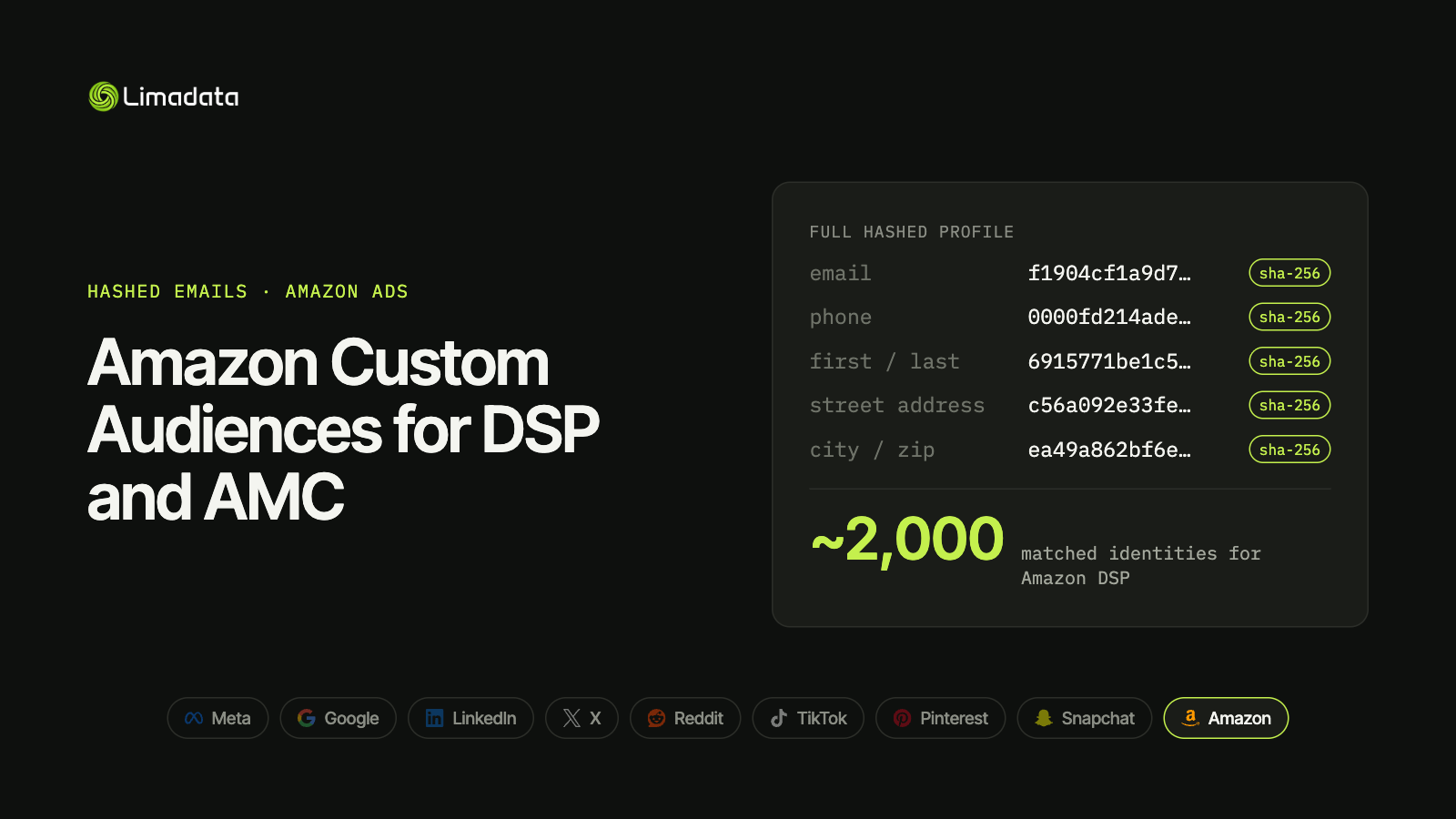
- Amazon matches on email, phone, name and full address, all SHA-256 hashed. Like Meta, it takes a full hashed contact profile.
- Hash emails as typed: trim, lowercase, SHA-256. Keep Gmail dots.
- Use Amazon’s normalization code for phones and addresses rather than writing your own.
- Ads Data Manager is Amazon’s central place to bring first-party data in.
- Amazon DSP audiences need about 2,000 matched identities to be usable. Upload large lists.
- AMC lets you analyze and activate your list against Amazon’s shopping and streaming signals.
Amazon knows who buys what. When you bring your own customer list to Amazon Ads, you can reach those people across Amazon’s own sites, Prime Video, Fire TV, Twitch and the wider web through Amazon DSP.
Email is an unusually strong key on Amazon, because it’s how people sign in to their Amazon account. A well-hashed customer list can match better on Amazon than on many social platforms.
The challenge is that Amazon doesn’t publish one simple spec page the way Meta or Google do. Rules are spread across DSP, Amazon Marketing Cloud (AMC) and Ads Data Manager documentation. This guide pulls them together. For all nine major platforms side by side, see our ultimate guide to hashed emails.
What Are Amazon Custom Audiences?
“Custom audiences” on Amazon covers several things. Searches for the term mix them up, so it’s worth separating them:
| Audience type | Built from | Your data needed? |
|---|---|---|
| Advertiser (hashed) audiences | Your customer list, hashed and matched to Amazon accounts | Yes |
| AMC audiences | Rules you write in Amazon Marketing Cloud, combining your data with Amazon signals | Optional |
| Amazon audiences | Amazon’s prebuilt in-market, lifestyle and lookalike segments | No |
| Pixel / site audiences | Visitors tracked by the Amazon Ads tag | No |
This guide covers the first two: audiences built from your own hashed customer data.
Where you can use them
- Amazon DSP: display, video, streaming TV (Prime Video, Fire TV) and audio, on Amazon and across the open web.
- Amazon Marketing Cloud: clean-room analysis and rule-based audiences activated back to DSP.
- Sponsored Display: availability of uploaded audiences varies by account and marketplace. Check in your console.
Common use cases
- Retarget past customers with replenishment or new-product messages.
- Suppress existing customers from acquisition campaigns.
- Build lookalikes from your best buyers.
- Measure overlap between your CRM and people exposed to your Amazon ads in AMC.
- Reach B2B buyers on Prime Video and Twitch, where they browse as consumers.
How First-Party Data Gets into Amazon
Ads Data Manager
Amazon Ads Data Manager is Amazon’s central workspace for advertiser data. You create audience datasets, connect sources (file uploads, CDPs and partner connectors) and share the resulting audiences with DSP and AMC.
When you send emails through Ads Data Manager connectors, you can usually pick between:
- Plain-text email, which the connector trims, lowercases and hashes for you.
- Pre-hashed email, already trimmed, lowercased and SHA-256 hashed.
Identifier priority
Amazon can match on several identifiers per record. In order of strength:
- Hashed PII: email, phone, name and address.
- Mobile advertising IDs (MAIDs).
- External IDs: your own customer IDs, used to add and remove people later.
Send as many as you have per person. Amazon uses all of them to find a match.
How to Hash Emails for Amazon
- Trim whitespace.
- Lowercase the address.
- Hash with SHA-256.
- Encode as lowercase hex.
Keep Gmail dots and +tags. Removing dots is a Google-only rule, and doing it for Amazon turns a matchable email into one that never joins. If your pipeline also feeds Google, keep two hashes per email and send Amazon the raw one.
Test vector:
mary@example.com
f1904cf1a9d73a55fa5de0ac823c4403ded71afd4c3248d00bdcd0866552bb79
Use Amazon’s normalization code
Amazon publishes open-source normalization code for advertiser audiences. It applies Amazon’s exact rules for every field before hashing, including the less obvious ones for phones and street addresses.
For email, a simple trim-lowercase-hash is usually enough. For phone and address fields, use Amazon’s code rather than reimplementing it. Address normalization in particular (abbreviations, punctuation, unit numbers) is easy to get subtly wrong, and a subtle difference is a guaranteed miss.
Source: Amazon Ads audience normalization SDK
Fields Amazon Accepts
Amazon’s hashed record format supports a full contact profile:
| Field | Hashed? | Notes |
|---|---|---|
| Yes | Trim, lowercase, SHA-256 | |
| Phone | Yes | Normalize with Amazon’s code before hashing |
| First name | Yes | Normalized, then hashed |
| Last name | Yes | Normalized, then hashed |
| Street address | Yes | Normalize with Amazon’s code |
| City | Yes | Normalized, then hashed |
| State | Yes | Normalized, then hashed |
| Postal code | Yes | Normalized, then hashed |
| Country | Per spec | Check your upload method’s requirements |
| MAID | No | Mobile advertising ID |
| External user ID | No | Your own ID, used to add or remove records |
That makes Amazon one of the few platforms that takes a hashed street address. Meta hashes city, state and zip but not street; Google hashes names but wants Country and Zip in plain text; and LinkedIn wants names unhashed entirely. Address data from orders or shipping gives people without a matching email another route to match.
An API record with a hashed email and name looks like this:
{
  "action": "ADD",
  "externalUserId": "cust_000123",
  "hashedPII": [
    {
      "email": "f1904cf1a9d73a55fa5de0ac823c4403ded71afd4c3248d00bdcd0866552bb79",
      "firstname": "<sha256 of normalized first name>",
      "lastname": "<sha256 of normalized last name>"
    }
  ]
}
The external user ID lets you remove the same person later without resending their PII.
Audience Size and Match Expectations
Amazon DSP audiences need roughly 2,000 matched identities to be usable for targeting. That’s far higher than Google (100) or Meta (about 100), and double TikTok’s and Reddit’s 1,000.
Plan for that:
- Upload large lists. Tens of thousands of rows is a reasonable target.
- Combine related segments if each one is small on its own.
- Add more identifiers per person, especially personal emails and phones, which a contact enrichment API can find from a work email.
Exact thresholds can vary by product and change over time, so confirm the current minimum in your DSP or AMC account before you plan a campaign around a small list.
Why B2B lists struggle on Amazon
People shop on Amazon with personal accounts. A list of @company.com emails will match only the small share of people who use their work email for personal shopping. For B2B advertisers, personal emails are the difference between an audience that clears 2,000 identities and one that doesn’t.
It’s the same pattern you’ll see on Google and Meta. Our guide to sending multiple hashed emails per person shows how each platform lets you add them.
Using Your List in Amazon Marketing Cloud
AMC is Amazon’s clean room. Once your hashed list is in AMC, you can:
- Measure overlap between your customers and people who saw or clicked your Amazon ads.
- Find high-value segments, such as customers who also bought in a related category.
- Build rule-based audiences that combine your list with Amazon signals, then activate them in DSP.
- Analyze the path to purchase across streaming, display and search.
You never see Amazon’s user-level data in AMC, only aggregated results, so it works within Amazon’s privacy controls.
A Tested Python Snippet for Amazon Email Hashes
import hashlib

def amazon_email_hash(email: str) -> str | None:
    e = email.strip().lower()            # keep Gmail dots and +tags
    return hashlib.sha256(e.encode("utf-8")).hexdigest() if "@" in e else None

assert amazon_email_hash("  Mary@Example.com ") == (
    "f1904cf1a9d73a55fa5de0ac823c4403ded71afd4c3248d00bdcd0866552bb79"
)
assert amazon_email_hash("John.Doe@Gmail.com") == (
    "375320dd9ae7ed408002f3768e16cb5f28c861062fd50dff9a3bff62e9dce4ef"
)

# For phone and address fields, run values through Amazon's
# open-source normalization code before hashing.
The email hash is identical to the one you send Meta, LinkedIn and TikTok, so one raw-hash column can serve all four.
Amazon Custom Audiences FAQ
Do I need Amazon DSP to use custom audiences?
For uploaded customer-list audiences, mostly yes. DSP and AMC are where advertiser audiences are activated. Sponsored Display support varies by account, so check your console.
What’s the minimum audience size on Amazon DSP?
Around 2,000 matched identities. Confirm the current threshold in your account.
Should I remove Gmail dots for Amazon?
No. Only Google asks for that. Amazon wants the address trimmed and lowercased, nothing more.
Can I upload street addresses?
Yes. Amazon accepts hashed street address, city, state and postal code, normalized with Amazon’s rules first.
What’s the difference between Amazon audiences and my own custom audiences?
Amazon audiences are prebuilt segments based on Amazon’s shopping and streaming signals. Custom (advertiser) audiences are built from your own customer data.
Does Amazon hash my data for me?
Some upload paths and partner connectors hash plain-text values for you. The API expects data already normalized and hashed.
Get Amazon-Ready Hashes with Limadata
The hardest part of Amazon audiences for B2B is reaching 2,000 matched identities from a list of work emails.
Limadata’s Ad Audience API takes a LinkedIn URL or work email and returns every hashed identifier we can resolve: personal emails, mobile numbers and full name-and-location profiles. That gives Amazon multiple keys per person and turns a work-email list into one that matches the accounts people actually shop with.
Sign up free and test it on your own list, or see pricing.
Related reading:
- The Ultimate Guide to Hashed Emails (All Platforms) in 2026
- Facebook Custom Audiences from a Customer List
- Google Customer Match in 2026: How to Hash and Upload Emails
- LinkedIn Matched Audiences: How to Hash and Upload Contact Lists
- X (Twitter) Custom Audiences and Ads API Guide
- Reddit Custom Audiences and the Reddit Ads API
- TikTok Custom Audience from a Customer File
- Pinterest Audience Targeting with Customer Lists
- Snap Audience Match and the Snapchat Marketing API