Key Takeaways
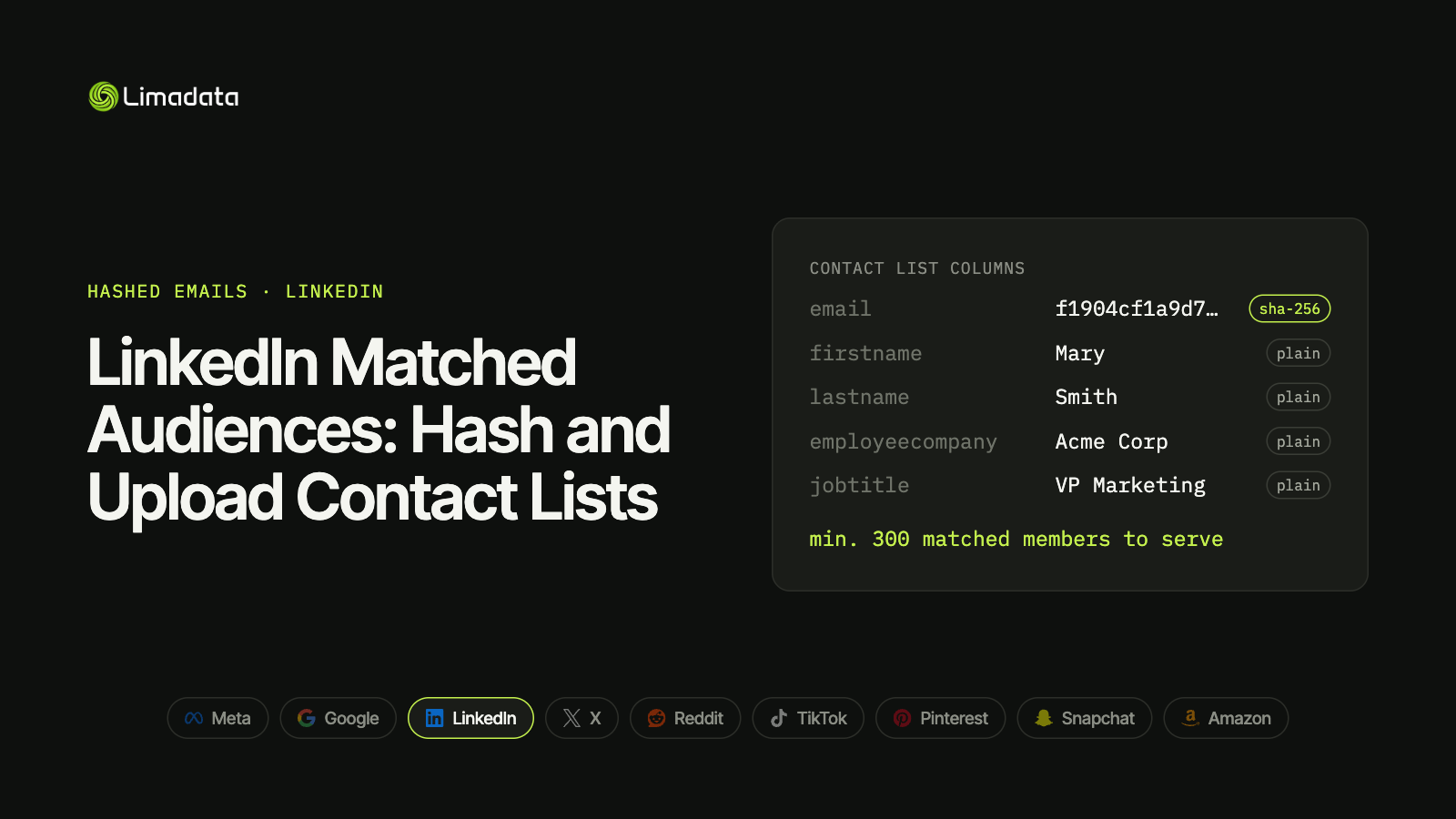
- Minimum to serve: 300 matched members. Upload well above that; 10,000+ rows is a healthier target.
- Hash emails only: lowercase, remove whitespace, SHA-256. Keep Gmail dots.
- Names, company, job title and country stay in plain text. Hashing them breaks matching.
- No phone numbers or IDFAs. Android advertising IDs go in a plain-text
googleaidcolumn. - Test against a known vector, not LinkedIn’s sample hash.
- Add personal emails as extra rows for the same person to lift match rates.
LinkedIn Matched Audiences let you upload a list of contacts and show ads to them on LinkedIn. For B2B marketers, it’s the most natural home for a customer or prospect list: the people you want to reach are already there, logged in under their professional identity.
But LinkedIn’s contact list works differently from Meta’s or Google’s. Emails are hashed, but names, companies and job titles must stay in plain text. Hash those, and LinkedIn loses most of what it uses to match. And if you test your pipeline against the sample hash in LinkedIn’s own documentation, you may conclude your code is broken when it isn’t.
This guide covers how LinkedIn contact targeting works in 2026, the exact hashing and file rules, upload options, and how to fix a list that won’t reach the 300-member minimum. For all nine major platforms side by side, see our ultimate guide to hashed emails.
What Are LinkedIn Matched Audiences?
Matched Audiences is LinkedIn’s umbrella name for audiences built from your own data. It covers three types:
| Type | Built from | Uses hashed data? |
|---|---|---|
| Contact targeting | A list of emails (and optional names, companies, titles) | Yes, emails |
| Company targeting | A list of company names or domains | No |
| Retargeting | Website visitors, video viewers, lead form and event engagement | No |
This guide covers contact targeting, the only type that uses hashed emails. B2B teams use it to:
- Run ABM campaigns at named buyers inside target accounts, the use case contact-level ad platforms like Vector are sold on.
- Nurture open opportunities with content aimed at the people in the deal.
- Exclude customers from acquisition campaigns.
- Seed predictive audiences that find more people like your best contacts.
You can only upload contacts you have permission to use, under LinkedIn’s advertising policies and applicable privacy law.
LinkedIn Matched Audiences Requirements
| Requirement | LinkedIn contact list |
|---|---|
| Minimum to serve | 300 matched members |
| Maximum file size | 300,000 rows per CSV |
| Recommended size | 10,000+ rows |
| File type | CSV |
| Email hashing | SHA-256 (SHA-512 also accepted via API) |
| Processing time | Up to 48 hours |
The 300-member minimum
LinkedIn’s threshold is higher than Google’s (100) or Meta’s (about 100), though lower than TikTok’s and Reddit’s 1,000. An audience below 300 matched members won’t serve. LinkedIn also rounds and hides small counts, so a list hovering near the threshold can look stuck for days.
Because match rates for B2B lists vary widely, a 1,000-row upload can fall short. Plan for thousands of rows per audience, or merge related lists.
How to Hash Emails for LinkedIn
- Lowercase the address.
- Remove all whitespace, not only leading and trailing.
- Hash with SHA-256.
- Encode as lowercase hex.
LinkedIn’s API also accepts SHA-512 hashes, but SHA-256 works everywhere else, so there’s no reason to keep a second format.
Don’t remove dots from Gmail addresses. That’s a Google-only rule; LinkedIn wants the address as typed. If your pipeline also feeds Google, keep two hashes per email and send LinkedIn the raw one.
LinkedIn’s sample hash won’t reproduce
LinkedIn’s documentation includes an example email and its hash. If you run that example through a correct SHA-256 pipeline, your output won’t match the documented hash. The mistake is in the documentation, not your code.
Test against a known vector instead:
mary@example.com
f1904cf1a9d73a55fa5de0ac823c4403ded71afd4c3248d00bdcd0866552bb79
If your pipeline produces that hash from that input (and the same hash from Mary@Example.com), it’s correct for LinkedIn.
LinkedIn Contact List Format
LinkedIn matches on more than email. It also uses name, company and title, which is why those must arrive readable.
| Header | Hash it? | Notes |
|---|---|---|
email | Yes | SHA-256 of the normalized address |
firstname | No | Plain text |
lastname | No | Plain text |
employeecompany | No | Plain text, current employer |
jobtitle | No | Plain text |
country | No | Two-letter ISO code |
googleaid | No | Android advertising ID, plain text |
A row looks like this (email hashed, everything else plain):
email,firstname,lastname,employeecompany,jobtitle,country
f1904cf1a9d73a55fa5de0ac823c4403ded71afd4c3248d00bdcd0866552bb79,Mary,Smith,Acme Corp,VP Marketing,US
Why names stay unhashed
LinkedIn can match on first name, last name and company even when the email misses, because that’s how members describe themselves on their profiles. A hashed name can only match an identically hashed name, so LinkedIn asks for plain text and does the fuzzy matching itself.
Hashing these columns is a quiet failure. The file uploads, but every row falls back to email-only matching.
This is the reverse of Meta and Amazon, which want names hashed. A shared pipeline needs a per-platform switch for name fields.
What LinkedIn doesn’t accept
- Phone numbers. LinkedIn contact lists don’t take phones in any format.
- Apple IDFAs. Only Android advertising IDs, in
googleaid. - Mixed hashing. Don’t hash some emails and leave others plain in the same column.
Source: LinkedIn Marketing API: DMP Segment List Uploads
How to Upload a Contact List to LinkedIn
Campaign Manager (manual uploads)
- In Campaign Manager, open Plan, then Audiences.
- Click Create audience, then choose List upload.
- Select Contact list, name the audience and upload your CSV.
Campaign Manager hashes plain-text emails for you before matching. You can upload pre-hashed emails too.
The Marketing API (automated syncs)
For CRM or warehouse syncs, use the dmpSegments API:
- Create a DMP segment of type
USER. - Stream users with the
SHA256_EMAILidentifier type (orSHA512_EMAIL), plus plain-text name and company fields. - Use
ADDandREMOVEactions to keep the audience in sync as contacts change.
Streaming adds and removes keeps audiences current without re-uploading the whole list, which matters for opportunity-based ABM where the contact set changes weekly.
Improving Your LinkedIn Match Rate
Fix the format first
- Unhash names, company and title. This is the most common LinkedIn-specific error.
- Remove whitespace inside the email before hashing.
- Keep Gmail dots. A pipeline built for Google will strip them.
- Drop blank emails before hashing. An empty string hashes to
e3b0c44298fc1c149afbf4c8996fb92427ae41e4649b934ca495991b7852b855.
See common hashed email mistakes for the full checklist.
Then add personal emails
It sounds backwards for a B2B network, but many LinkedIn members signed up with a personal email, not their current work address. Work emails also churn every time someone changes jobs, while their LinkedIn account stays the same.
The fix: when you have a personal email for a contact (or can find one from their work email or LinkedIn URL), add it as a second row with the same first name, last name and company. LinkedIn de-duplicates matched members, so the extra row doesn’t inflate your audience. It only gives that person a second chance to match.
email,firstname,lastname,employeecompany,jobtitle,country
<sha256 of work email>,Mary,Smith,Acme Corp,VP Marketing,US
<sha256 of personal email>,Mary,Smith,Acme Corp,VP Marketing,US
Other platforms handle this differently: Meta and TikTok take up to three emails in one row, and Google accepts repeated Email columns. Our guide to sending multiple hashed emails per person compares them all.
Fill in company and title
Rows with only an email depend entirely on that email matching. Adding name, current company and title gives LinkedIn a fallback. Make sure the company is current, because LinkedIn compares it against members’ present employer. A people enrichment API can refresh company and title from an email address before each upload.
A Tested Python Snippet for LinkedIn Rows
import csv
import hashlib
import re

def linkedin_email_hash(email: str) -> str | None:
    e = re.sub(r"\s+", "", email).lower()   # remove all whitespace, keep dots
    return hashlib.sha256(e.encode("utf-8")).hexdigest() if "@" in e else None

def linkedin_rows(contact: dict) -> list[dict]:
    """One row per email; names, company and title stay plain text."""
    base = {
        "firstname": contact["first_name"],
        "lastname": contact["last_name"],
        "employeecompany": contact.get("company", ""),
        "jobtitle": contact.get("title", ""),
        "country": contact.get("country", ""),
    }
    rows = []
    for email in contact["emails"]:          # work + personal emails
        h = linkedin_email_hash(email)
        if h:
            rows.append({"email": h, **base})
    return rows

assert linkedin_email_hash("  Mary@Example.com ") == (
    "f1904cf1a9d73a55fa5de0ac823c4403ded71afd4c3248d00bdcd0866552bb79"
)
LinkedIn Matched Audiences FAQ
What’s the minimum size for a LinkedIn Matched Audience?
300 matched members. Below that, the audience won’t serve.
Do I need to hash emails for LinkedIn?
Not in Campaign Manager, which hashes them for you. Through the API, send SHA-256 (or SHA-512) hashes.
Should I hash first and last names?
No. Names, company, job title and country must be plain text. Only emails are hashed.
Can I upload phone numbers to LinkedIn?
No. LinkedIn contact lists don’t accept phone numbers. If you have mobiles, they’re more useful on Meta, Google, TikTok, X and Snapchat.
Why is my LinkedIn audience stuck below 300?
Usually because the list is too small, mostly outdated work emails, or has hashed name and company columns. Add personal emails as extra rows and keep name fields plain text.
How long does a LinkedIn contact list take to process?
Up to 48 hours.
Does replacing a list pause my campaigns?
Campaigns using an audience that drops below 300 matched members stop delivering. Sync changes through the API, or upload the new list before removing the old one.
Turn Work Emails into LinkedIn-Ready Audiences with Limadata
Most B2B contact lists are work emails, and work emails are the weakest key on LinkedIn.
Limadata’s Ad Audience API takes a LinkedIn URL or work email and returns the personal emails we can resolve for that person, already hashed, plus current company and title. Add them as extra rows and your audience reaches the people behind the list, not just the inboxes on it.
Sign up free and test it on your own list, or see pricing.
Related reading:
- The Ultimate Guide to Hashed Emails (All Platforms) in 2026
- Facebook Custom Audiences from a Customer List
- Google Customer Match in 2026: How to Hash and Upload Emails
- X (Twitter) Custom Audiences and Ads API Guide
- Reddit Custom Audiences and the Reddit Ads API
- TikTok Custom Audience from a Customer File
- Pinterest Audience Targeting with Customer Lists
- Snap Audience Match and the Snapchat Marketing API
- Amazon Custom Audience Advertising: Hashed Lists for DSP and AMC