Key Takeaways
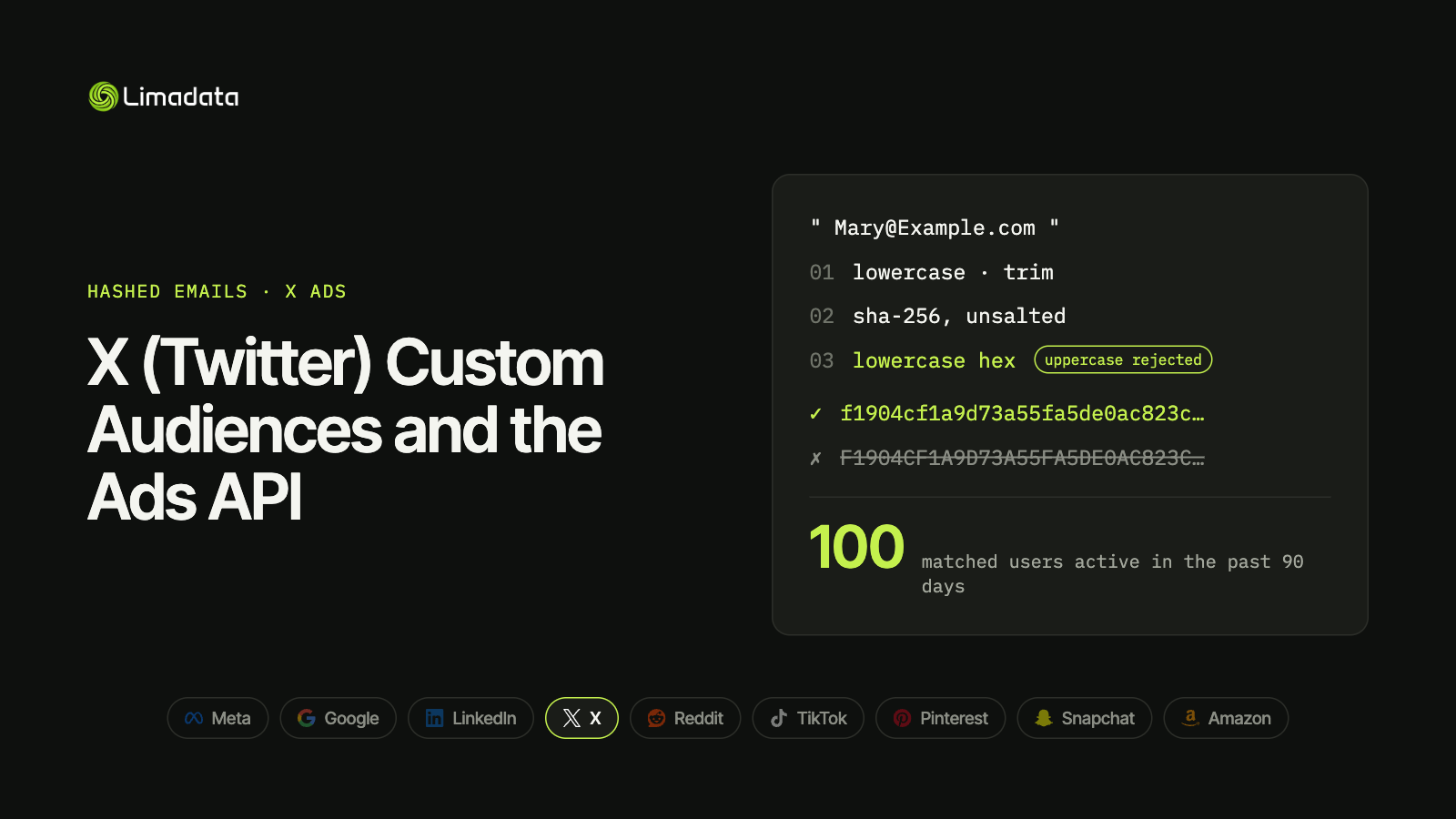
- Hash emails as typed: lowercase, trim, unsalted SHA-256, lowercase hex. Keep Gmail dots.
- One identifier type per list in the UI: emails in one file, phones in another.
- One hashed value per line in a .csv, .tsv or .txt file.
- Phones use E.164 with the
+, like Google and TikTok. - Minimum to serve: 100 matched users active in the past 90 days.
- The Ads API takes up to 2,500 users per request, with several identifiers per user.
X Custom Audiences let you upload a customer list and show ads to those people on X. If you’ve been on the platform long enough, you may know the feature by its old name, Tailored Audiences. The mechanics haven’t changed much: upload hashed emails, phones, handles or device IDs, and X matches them to accounts.
X follows the standard hashing recipe, with two details that catch people out. Uppercase hex is explicitly rejected, and each list holds one identifier type. A multi-column CRM export that works on Meta will fail here.
This guide covers the X-specific rules: hashing, file format, the Ads API, the 100-user minimum and what limits match rates. For all nine major platforms side by side, see our ultimate guide to hashed emails.
What Are X Custom Audiences?
Custom Audiences are X’s first-party audience feature. You can build them from:
| Source | What it uses | Hashed data? |
|---|---|---|
| List upload | Emails, phones, X handles or mobile ad IDs | Yes |
| Website activity | X Pixel events | No |
| App activity | Mobile measurement partner events | No |
| Engagement | People who interacted with your posts or ads | No |
This guide covers list uploads. Advertisers use them to:
- Retarget customers and leads with product or event messages.
- Exclude customers from acquisition campaigns.
- Build lookalikes from a seed list.
- Reach named contacts in ABM programs, especially in tech, finance and media, where X is still a daily habit. Person-level ad platforms do the same thing across channels; see our Influ2 alternatives comparison.
Do Not Reach Lists
X also lets you upload lists of people you don’t want to reach. Do Not Reach Lists follow the same hashing rules and need the same 100 matched users before they activate.
X Custom Audience Requirements
| Requirement | X list upload |
|---|---|
| Hash | SHA-256, unsalted, lowercase hex |
| File types | .csv, .tsv or .txt |
| File layout | One value per line, one identifier type per list |
| Large files | Split files over 4 GB |
| API batch size | Up to 2,500 users per request |
| Minimum to serve | 100 matched users active in the past 90 days |
| Processing time | Up to 48 hours |
| Hashes for you? | Yes in the UI (pre-hashing optional); no via the API |
The 100-user minimum
X needs 100 matched users who have been active in the past 90 days. That’s the same floor as Google Customer Match and low compared with LinkedIn (300) or Reddit and TikTok (1,000). But two things shrink your matched count:
- Inactive accounts don’t count toward the 90-day window.
- Users who turned off ads personalization can’t be matched at all.
Expect a matched size well below your upload count, and upload thousands of rows if you can.
Source: X Ads API: Custom Audiences user data
How to Hash Emails for X
- Lowercase the address.
- Trim leading and trailing spaces.
- Hash with unsalted SHA-256.
- Encode as lowercase hex.
Keep Gmail dots and +tags. Removing dots is a Google-only rule, and applying it to X turns dotted Gmail addresses into hashes X can’t match. If one pipeline feeds both, keep two hashes per email.
Lowercase hex, always
Most platforms ask for lowercase hex. X explicitly rejects uppercase. Some languages and spreadsheet tools output uppercase by default (for example, .NET’s BitConverter or a hex function in a BI tool), so check the first few rows of your file.
| Output | X |
|---|---|
f1904cf1a9d73a55… | ✓ |
F1904CF1A9D73A55… | ✗ |
Test vector:
mary@example.com
f1904cf1a9d73a55fa5de0ac823c4403ded71afd4c3248d00bdcd0866552bb79
File Format: One Identifier Type per List
In the X Ads UI, each list contains a single identifier type, one value per line:
f1904cf1a9d73a55fa5de0ac823c4403ded71afd4c3248d00bdcd0866552bb79
375320dd9ae7ed408002f3768e16cb5f28c861062fd50dff9a3bff62e9dce4ef
0925f997eb0d742678f66d2da134d15d842d57722af5f7605c4785cb5358831b
That means:
- Emails go in an email list. If a person has a work email and two personal emails, put all three on separate lines in the same email file.
- Phones go in a phone list.
- Mobile ad IDs go in a device ID list.
- No names, companies or locations. X doesn’t accept them.
If you want the same people reached by email and phone, upload both lists and combine them in your campaign targeting. Snapchat and Pinterest work the same way, while Meta and TikTok take several identifiers in one row. Our guide to sending multiple hashed emails per person compares every platform.
Phones: E.164 with the plus sign
Format phone numbers in E.164, including the + and country code, before hashing: +12065550100.
That matches Google and TikTok, but not Meta and Snapchat, which want digits only. The two formats hash to unrelated values:
| Input | SHA-256 | Use for |
|---|---|---|
+12065550100 | b4fa1a0e9e520f7186de1a00b1b84abb55a5c7feab09e7c3b8059ca32a6abd4f | X, Google, TikTok |
12065550100 | 0000fd214ade3cd6a790d9a949f519b17b7c993625dd4782e14166523c66d415 | Meta, Snapchat |
Mobile ad IDs
Lowercase the ID, keep the hyphens, then hash it with SHA-256. Drop all-zero IDs (00000000-0000-0000-0000-000000000000), which mean the user opted out of tracking. See hashed phone numbers, mobile ad IDs and names for how other platforms handle MAIDs.
Uploading Through the X (Twitter) Ads API
The X Ads API (still widely searched as the Twitter Ads API) covers campaigns, creatives, reporting and audiences. For customer-list syncs, use the Custom Audiences users endpoint:
POST accounts/:account_id/custom_audiences/:custom_audience_id/usersUnlike the UI, the API accepts several identifiers per user as arrays, so one record can carry a person’s emails, phones, handle and device IDs together. Everything except partner_user_id must be normalized and hashed.
A simplified request body:
[
  {
    "operation_type": "Update",
    "params": {
      "users": [
        {
          "email": [
            "f1904cf1a9d73a55fa5de0ac823c4403ded71afd4c3248d00bdcd0866552bb79"
          ],
          "phone_number": [
            "b4fa1a0e9e520f7186de1a00b1b84abb55a5c7feab09e7c3b8059ca32a6abd4f"
          ]
        }
      ]
    }
  }
]
Send up to 2,500 users per request. Use Delete operations to remove people who should no longer be targeted.
Improving Your X Match Rate
Fix formatting first:
- Emit lowercase hex.
- Don’t apply Google’s Gmail-dot rule.
- Use E.164 with
+for phones. - Remove blank values before hashing. An empty string hashes to
e3b0c44298fc1c149afbf4c8996fb92427ae41e4649b934ca495991b7852b855. - Strip hidden characters (tabs, non-breaking spaces, byte-order marks).
Our common hashed email mistakes checklist covers these in more detail.
Then add identifiers:
- Add personal emails. Most X accounts were created with a personal address, not a work one. A people data API can find them from a work email or LinkedIn URL.
- Add mobile numbers where you have them.
- Refresh lists regularly so they reflect people active in the last 90 days.
A Tested Python Snippet for X
import hashlib
import re

def sha256_hex(value: str) -> str:
    return hashlib.sha256(value.encode("utf-8")).hexdigest()   # lowercase hex

def x_email_hash(email: str) -> str | None:
    e = email.strip().lower()                                  # keep Gmail dots
    return sha256_hex(e) if "@" in e else None

def x_phone_hash(international_number: str) -> str | None:
    digits = re.sub(r"\D", "", international_number)
    if digits.startswith("00"):
        digits = digits[2:]
    return sha256_hex("+" + digits) if digits else None        # E.164 with +

def x_email_file(emails: list[str]) -> str:
    """One hashed email per line, de-duplicated."""
    hashes = {h for h in map(x_email_hash, emails) if h}
    return "\n".join(sorted(hashes))

assert x_email_hash("  Mary@Example.com ") == (
    "f1904cf1a9d73a55fa5de0ac823c4403ded71afd4c3248d00bdcd0866552bb79"
)
assert x_phone_hash("+1 (206) 555-0100") == (
    "b4fa1a0e9e520f7186de1a00b1b84abb55a5c7feab09e7c3b8059ca32a6abd4f"
)
assert x_email_hash("a@b.com") == x_email_hash("a@b.com").lower()
X Custom Audiences FAQ
Are Twitter Tailored Audiences the same as X Custom Audiences?
Yes. Tailored Audiences was the old name. The feature works the same way under the X brand.
What’s the minimum size for an X Custom Audience?
100 matched users who were active on X in the past 90 days.
Can I put emails and phones in the same file?
Not in the UI. Each list holds one identifier type. The Ads API accepts multiple identifiers per user.
Does X hash my list for me?
Yes in the UI, where pre-hashing is optional. Through the API, you must hash first.
Why is my X audience smaller than my list?
Users who turned off ads personalization can’t be matched, inactive accounts don’t count, and work emails often aren’t the address people use on X.
How long does an X audience take to process?
Up to 48 hours.
Get X-Ready Hashes with Limadata
On X, the address that matters is the one people signed up with, and for most of your B2B contacts that’s a personal email or a phone number.
Limadata’s Ad Audience API takes a LinkedIn URL or work email and returns every hashed identifier we can resolve, including personal emails and mobiles in E.164 format, ready to drop into X’s one-identifier-per-list files.
Sign up free and test it on your own list, or see pricing.
Related reading:
- The Ultimate Guide to Hashed Emails (All Platforms) in 2026
- Facebook Custom Audiences from a Customer List
- Google Customer Match in 2026: How to Hash and Upload Emails
- LinkedIn Matched Audiences: How to Hash and Upload Contact Lists
- Reddit Custom Audiences and the Reddit Ads API
- TikTok Custom Audience from a Customer File
- Pinterest Audience Targeting with Customer Lists
- Snap Audience Match and the Snapchat Marketing API
- Amazon Custom Audience Advertising: Hashed Lists for DSP and AMC